

Keep regular bookings organised. Give empty slots another chance.
Create recurring appointments and offer newly available times to waiting clients. Manage changes without rebuilding your diary or contacting the whole waitlist yourself.
- Included with your subscription


What you get
Set up supported repeat intervals for regular clients.
Change a single appointment without rebuilding the whole series.
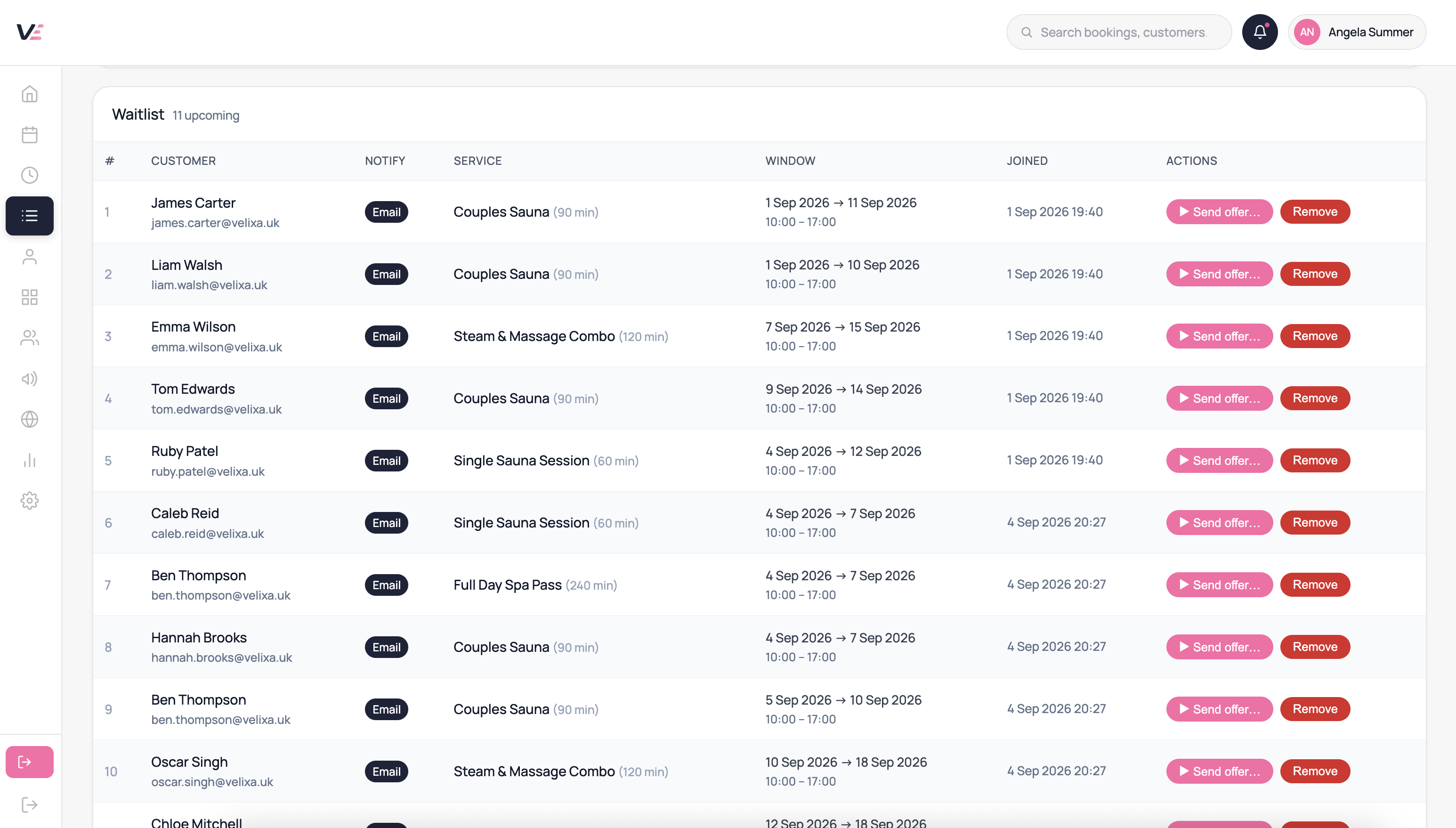
Let clients register interest when a suitable time is unavailable.
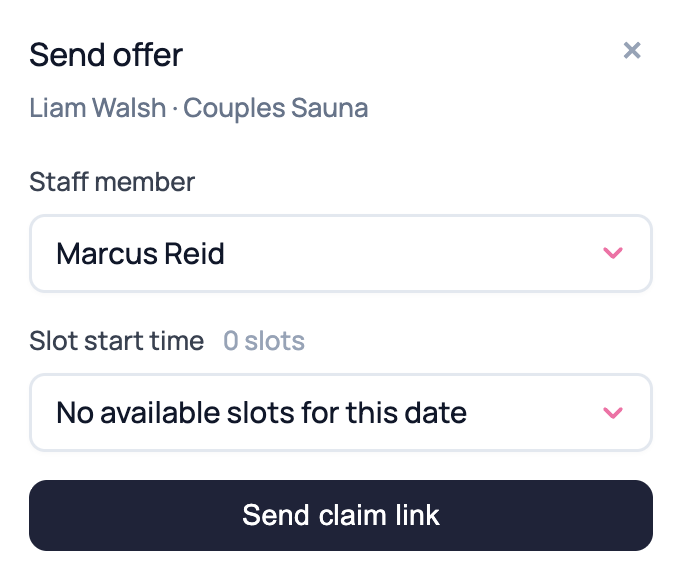
Offer newly available appointments to eligible waiting clients.
Use claim windows so an unanswered offer does not hold a slot indefinitely.
Check recurring appointments against staff availability and closures.
How it helps your working day
Plan ahead for regulars
Keep repeat appointments visible in your diary.
Act on cancellations
Give waiting clients an opportunity to book an available slot.
Keep offers controlled
Time-limited claim links keep each offer connected to its intended appointment.
Common questions
They can cancel a single instance from their account without breaking the rest of the series.
Use the repeat and end-date options available when creating the series. Check future appointments in the diary after saving.
Offers use the available appointment and the waiting client’s eligibility and preferences. A slot must be suitable before an offer can be made.
Velixa checks waiting clients against the slot and their saved preferences, then offers it to an eligible client. Unclaimed offers can move on after the claim window. A booking is only secured when it is confirmed.
Yes — each series is configured independently, so one client can have a weekly slot and another fortnightly for the same service with the same staff member.
Yes — from the booking detail you can end the series at any point. Cancellation notifications are sent to the client for the removed future instances.
Explore this feature in Velixa
Start a 7-day free trial and see how the available tools fit your business. Payment fees and optional extras apply.
Start free trial