

Make feedback part of the client journey
Request reviews after appointments, manage submissions and reply from your dashboard. Display customer feedback on your hosted website as your business grows.
- Included with your subscription


What you get
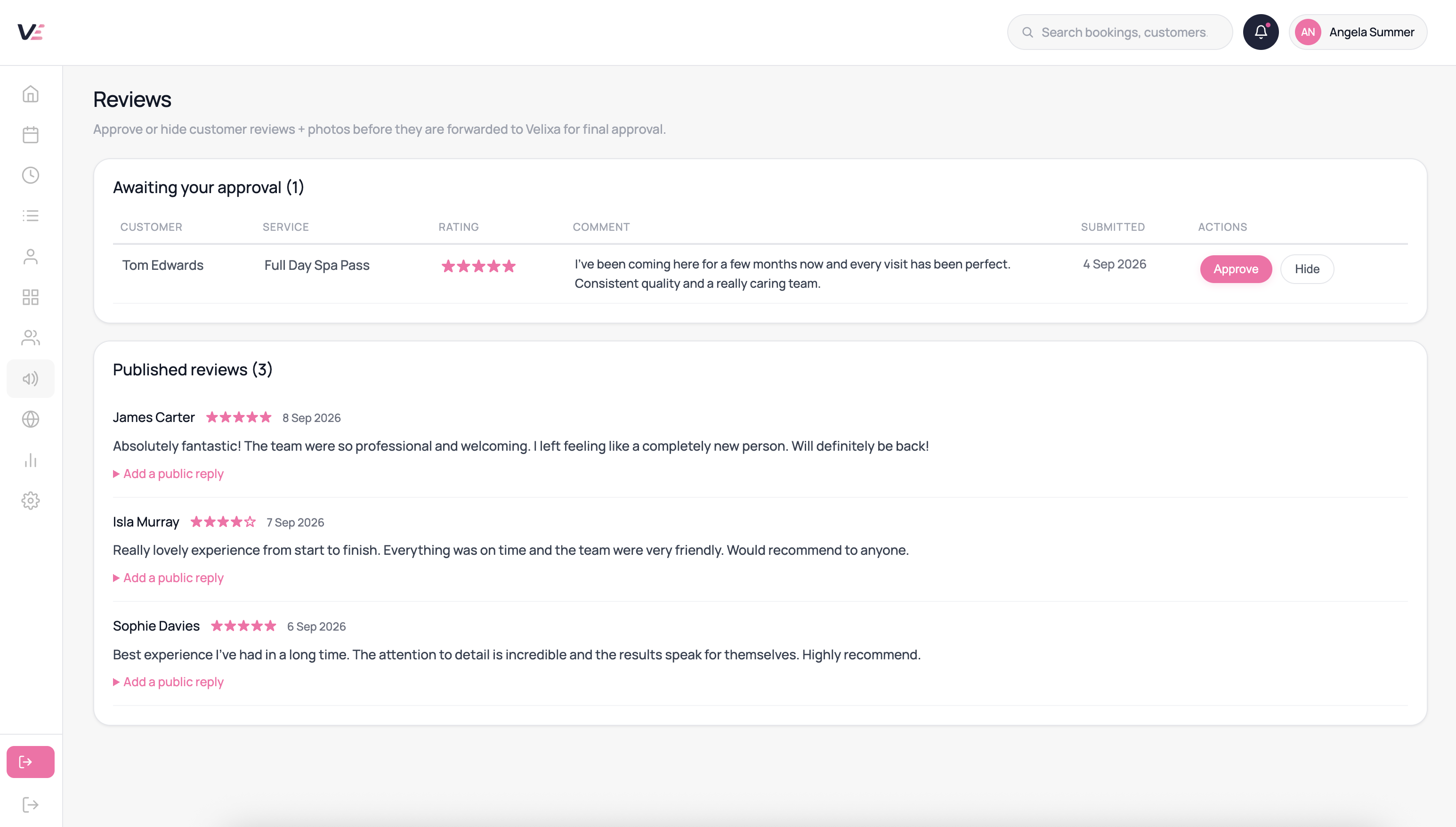
Invite clients to leave feedback after their appointment.
Connect reviews to the customer’s booking history.
Manage submissions through the available moderation workflow.
Allow customers to submit photographs alongside their feedback.
Respond to published reviews from your dashboard.
Display published feedback on your hosted site.
How it helps your working day
Help visitors make a decision
Give prospective clients feedback from completed visits.
Respond with context
Use replies to acknowledge feedback and answer concerns.
Follow your feedback
Review ratings and submission counts as new feedback arrives.
Common questions
Use the available moderation or reporting process. Review content is assessed against Velixa’s content policy.
The review flow is linked to previous bookings. Clients must meet the review eligibility requirements shown in the product.
Your published reviews can appear on your hosted website. Search engines decide whether to display ratings or other enhanced search features; inclusion is not guaranteed.
Publication follows Velixa’s moderation workflow. Check the status of pending submissions in your dashboard.
Yes — owner replies are posted publicly beneath the review. A considered response shows prospective clients you take feedback seriously.
Review export is not currently available. All your reviews and their details are visible in the Reviews section of your dashboard.
Explore this feature in Velixa
Start a 7-day free trial and see how the available tools fit your business. Payment fees and optional extras apply.
Start free trial